Explore the REST API
The API Reference has the complete interactive endpoint browser — search any endpoint, view request/response schemas, and run live requests directly in the browser with Try It Out.
The Mango REST API provides full programmatic access to the platform. All endpoints accept and return JSON, and the base URL for all API calls is /rest/latest/. This URL automatically resolves to the current API version, so your integrations remain compatible across Mango upgrades.
Base URL and Content Types
All REST API requests should be made to the base path /rest/latest/ on your Mango server. For example, if Mango is running on localhost:8080, the full base URL would be:
http://localhost:8080/rest/latest/
Requests that include a body (POST, PUT, PATCH) must set the Content-Type header to application/json. Responses are always returned as JSON with Content-Type: application/json.
Response Format
List endpoints return results in the following envelope format:
{
    "items": [...],
    "total": 42
}
The items array contains the result objects, and total indicates the total number of matching records (useful for pagination). You can control pagination using RQL limit and offset operators in the query string.
Error Handling
When an error occurs, the API returns an appropriate HTTP status code along with a JSON error body:
{
    "mangoStatusCode": 4000,
    "mangoStatusName": "VALIDATION_FAILED",
    "localizedMessage": "Validation failed",
    "validationMessages": [...]
}
Common status codes include 401 (not authenticated), 403 (insufficient permissions), 404 (resource not found), and 422 (validation failed).
Swagger UI and OpenAPI
Mango 5.4 and Newer
Starting from Mango 5.4, the REST API documentation uses OpenAPI 3.1, which is an evolution of the Swagger specification. The Swagger UI has also been upgraded to the latest version.
The OpenAPI spec and Swagger UI is no longer bundled with the Mango Core or API module. There is a separate module named openApiDocumentation which must be installed.
The Swagger UI and OpenAPI spec is only available when authenticated. No properties need to be configured to use it, just install the module.
- The URL for the Swagger UI is:
/rest/latest/swagger-ui.html - The URL for the OpenAPI JSON document is:
/rest/latest/api-docs - The URL for the OpenAPI YAML document is:
/rest/latest/api-docs.yaml
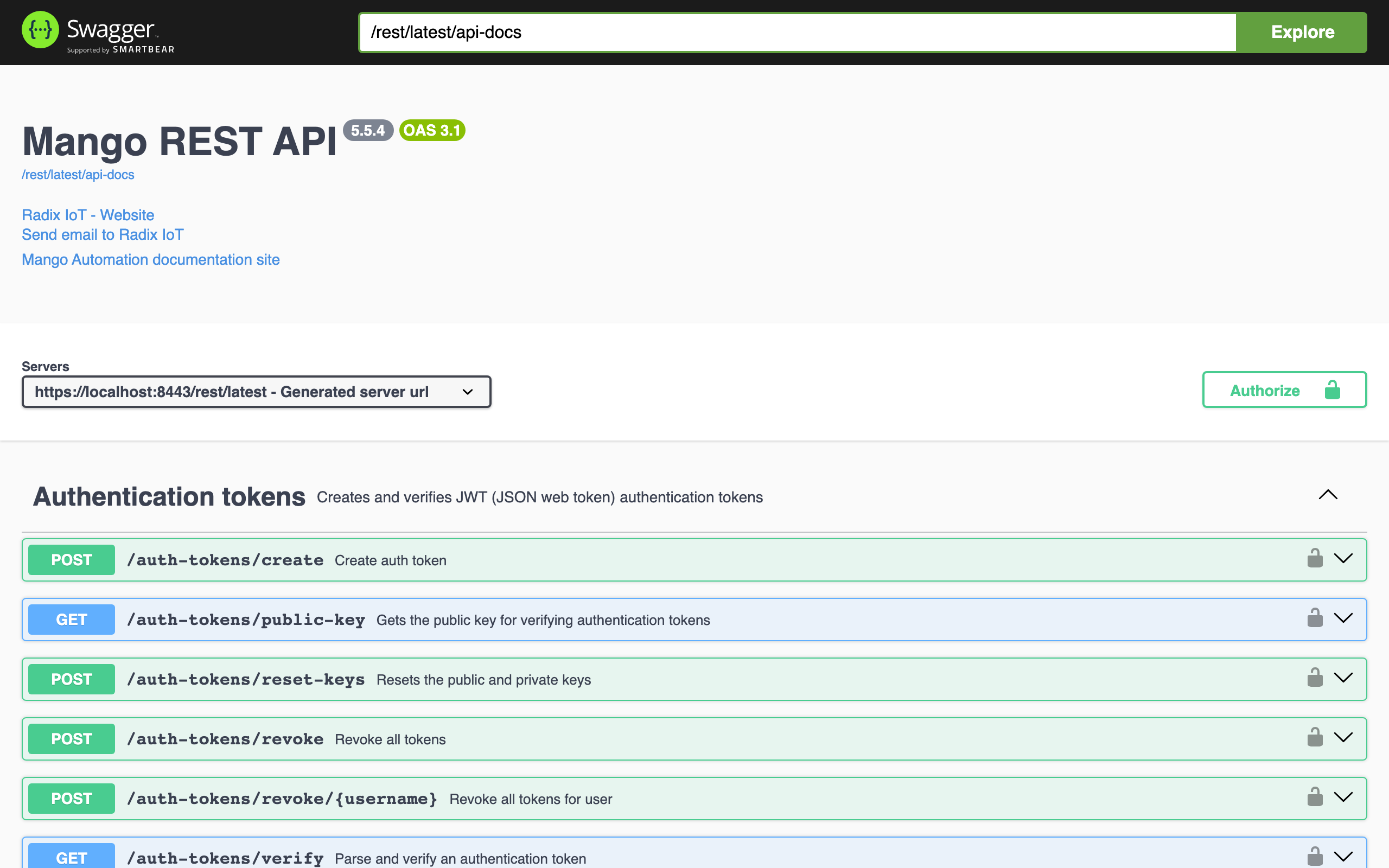
Mango 3.x, 4.x, and 5.0 to 5.3
You can explore the API by enabling Swagger within your Mango installation. To enable Swagger, edit your env.properties file:
# For REST API Documentation at
# Mango 3.4.5 and before: /swagger/index.html
# Mango 3.5 and after: /swagger-ui.html
swagger.enabled=true
Restart Mango, log in as an admin user, and then navigate to the URL specified above.
Note: You will need a tab open while logged into an admin account for Swagger to work in a secondary tab.
Key API Endpoint Categories
The REST API is organized around resource types. Some of the most commonly used endpoint groups include:
| Endpoint Group | Path | Description |
|---|---|---|
| Data Points | /rest/latest/data-points | Create, read, update, delete data points |
| Point Values | /rest/latest/point-values | Query historical and real-time point values |
| Data Sources | /rest/latest/data-sources | Manage data source configurations |
| Events | /rest/latest/events | Query and acknowledge system events |
| Users | /rest/latest/users | Manage user accounts and permissions |
| System | /rest/latest/system | System information and configuration |
| JSON Store | /rest/latest/json-store | Read and write arbitrary JSON data |
For the full interactive endpoint reference with Try-It-Out support, see the API Reference.
Related Pages
- API Reference — Interactive endpoint browser with Try-It-Out for all Mango REST endpoints
- REST API Authentication — How to authenticate and manage sessions for API access
- RQL Queries — Filter, sort, and paginate API results using Resource Query Language
- API Examples — Practical curl and JavaScript examples for common API operations
- Custom Module Overview — Build your own module with custom REST endpoints