Data Sources Overview
At the core of Mango is a very high performance data acquisition system. Mango includes built-in protocol support and a historian for logging and storing time series data. Data sources are the primary mechanism through which Mango collects information from the physical world, whether from industrial devices, databases, network services, or internal system metrics.
What Is a Data Source?
A data source represents a connection to an external system or protocol from which Mango collects data. Each data source defines the communication parameters (such as host address, port, polling interval, and authentication credentials) needed to establish and maintain that connection. A single Mango instance can run many data sources simultaneously, each operating independently on its own schedule.
Data sources fall into several categories:
- Protocol data sources communicate with industrial devices using standards like Modbus, BACnet, OPC UA, OPC DA, SNMP, and MQTT.
- Data-oriented sources retrieve values from SQL databases, HTTP endpoints, files, and email servers.
- Network sources maintain persistent TCP connections, SSH sessions, or raw TCP/IP socket communication.
- System sources include the virtual data source (for testing and simulation), the internal data source (for monitoring Mango itself), the meta data source (for computing derived values from other points), and scripting data sources.
- Specialized sources cover domain-specific integrations such as eGauge energy monitors, Environment Canada weather feeds, PID controllers, and Z-Wave home automation devices.
What Is a Data Point?
A data point is a single value that Mango tracks over time. Every data point belongs to exactly one data source, which determines how the point's value is retrieved. The point configuration includes a point locator that tells the data source exactly which piece of information to read. For example, in a Modbus data source, the point locator specifies the device ID, register range, offset, and data type. In an SNMP data source, the point locator is an OID (Object Identifier).
Each data point has a Mango data type that determines how the value is stored and displayed:
| Data Type | Description | Example |
|---|---|---|
| Numeric | Floating-point or integer values | Temperature: 72.5 |
| Binary | True/false or on/off states | Pump running: true |
| Multistate | One value from a fixed set of integers | Valve position: 0, 1, 2 |
| Alphanumeric | Text string values | Device status: "OK" |
Creating a Data Source
To create a data source, navigate to the Data Sources page from the Administration menu in the Mango UI.
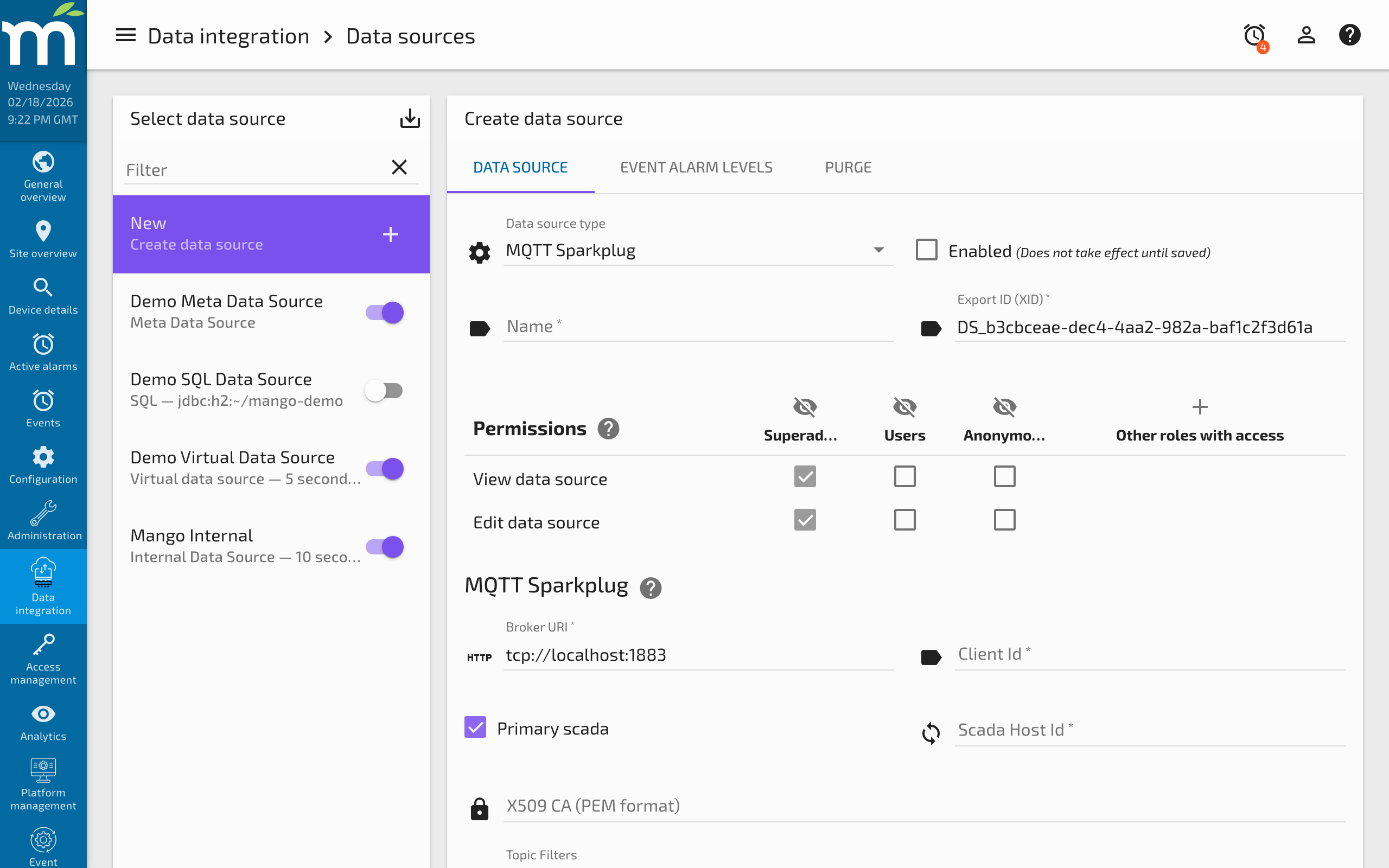
From this page you can:
- Create a new data source by clicking the add button and selecting the data source type you need.
- Configure the connection settings, polling interval, and protocol-specific parameters.
- Add data points that define which values to collect from the connected device or service.
- Enable the data source to begin data collection.
Each data source type has its own configuration panel. Refer to the specific data source documentation for details on the settings available for each protocol.
Polling vs. Event-Driven Collection
Data sources use one of two primary collection strategies:
Polling data sources (such as Modbus, SNMP, and SQL) actively request values from the target device or system at a regular interval defined by the update period. The update period must be chosen carefully; setting it too fast can overwhelm the device or network, while setting it too slow may miss important changes. See the Performance page for guidance on tuning poll periods.
Event-driven data sources (such as MQTT, and partially BACnet with COV subscriptions) receive updates asynchronously whenever the source system reports a change. These data sources are more efficient when monitoring large numbers of points that change infrequently, because no bandwidth is consumed until a value actually changes.
Some data sources support a hybrid approach. For example, BACnet data sources will use COV (Change Of Value) subscriptions when the remote device supports them, and fall back to polling for objects that do not.
Enabling and Disabling
Both data sources and individual data points can be independently enabled or disabled. A disabled data source stops all communication with the target system and no points within it will update. A disabled data point within an enabled data source means the data source is still running, but that particular value is not collected.
This is useful for temporarily suspending collection from a device that is undergoing maintenance without affecting other data sources, or for disabling individual points that are not currently needed.
Data Source Events
Every data source can raise events (alarms) when problems occur during data collection. Common event types include:
- Poll aborted -- raised when a poll could not complete before the next poll was scheduled, indicating the update period is too short or the device is too slow to respond.
- Data source exception -- raised for general communication failures such as connection refused, timeout, or protocol errors.
- Point read exception -- raised when a specific point's value could not be read, even though the overall connection is working.
These events appear on the Mango events page and can trigger handlers such as email notifications, set-point commands, or script execution.
Next Steps
- Browse the Protocols section for industrial protocol data sources like Modbus, BACnet, and OPC UA.
- See the Data section for SQL, HTTP, and file-based data sources.
- Review Performance guidance for tuning polling data sources.
Related Pages
- Data Source Performance — Guidance on monitoring and optimizing poll periods, batching, and timeouts
- Modbus Data Source — The most widely used industrial protocol data source
- Virtual Data Source — Generate simulated data for testing without external hardware
- Internal Data Source — Monitor Mango's own performance and system health metrics