Scripting Overview
There are several areas in the Mango interface where you can use scripts to perform functions and actions. The two primary scripting mechanisms are Meta Data Points and Scripting Data Sources. Both use JavaScript/ECMAScript, but they differ in scope and execution model.
Meta Data Points
Meta data points are data points like any other in Mango, except they get their value from a script that references other data points in the system. The result of the script is returned as the meta data point's value. Meta points are extremely powerful and can implement calculations ranging from simple unit conversions to complex control logic.
How Meta Data Points Work
A meta data point operates within a script context -- a set of existing data points whose values are made available to the script as variables. When one of the context points updates, the meta point's script executes and produces a new value.
Key characteristics:
- One output per point. Each meta data point produces a single value from its script. The return value of the script becomes the point's value.
- Data type determines what type of value the script must return (Numeric, Binary, Multistate, or Alphanumeric). Mango will attempt to coerce the returned value to the configured type.
- Context updates trigger execution. If a context point has "updates context" enabled, any change to that point will cause the meta point's script to re-execute.
- Custom timestamps are supported. Set a variable named
TIMESTAMPto a millisecond epoch value in your script to override the default timestamp. - Returning
UNCHANGEDprevents the meta point from updating its value. This is useful for conditional calculations where you only want to produce a value under certain circumstances. - Settable meta points can have their values manually set by users, in addition to being computed by the script.
Creating Meta Data Points
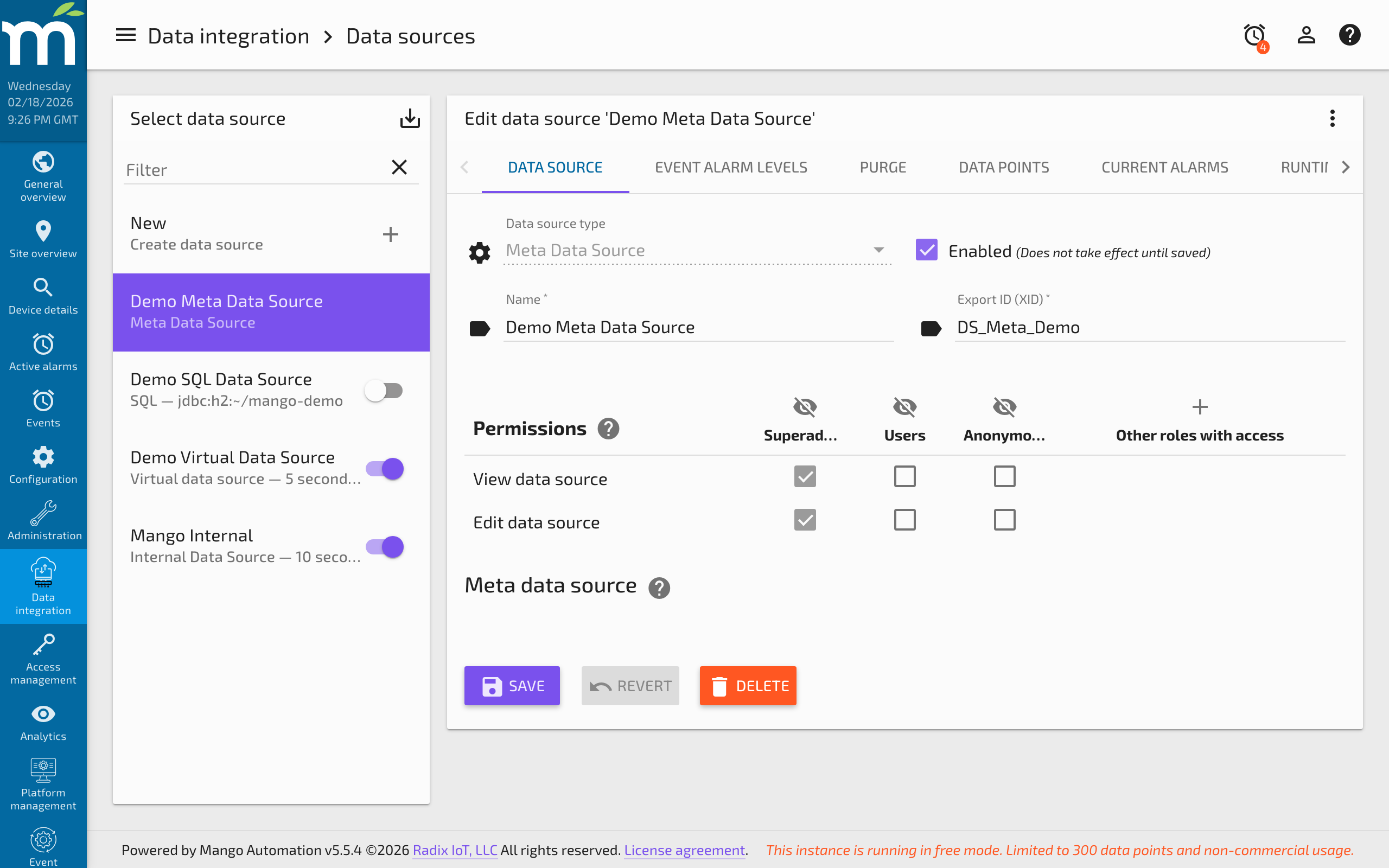
- Create a Meta Data Source if one does not already exist. Navigate to the data source page, create a new data source, and select "Meta" as the type.
- Add a new data point to the meta data source.
- Configure the script context by adding the data points whose values the script needs. Each context point must have a unique variable name (a valid ECMAScript identifier: starts with a letter or underscore, no spaces).
- Write the script in the Script editor. The script can reference context point values using the variable names you assigned.
- Set the Data type for the meta point's output.
- Save the point and enable the data source.
Script Context Variables
Each context point is available in the script using its assigned variable name. The variable is a Point Value Time wrapper that provides:
p.value-- The current value of the point.p.time-- The timestamp of the current value in milliseconds since epoch.p.ago(periodType, count)-- Get a value from a specified time period ago.p.last(count)-- Get a list of the last N values.p.lastValue(index)-- Get a specific historical value (0 = most recent, 1 = second most recent, etc.).
Points that are not needed in the script should not be added to the context. Each context point adds overhead for data preparation, and unnecessary context variables may trigger unintended script executions.
Generate History
When creating a new meta point, you may want to backfill historical values. The Generate History feature does this by:
- Finding the most recent saved value across all context points to determine the starting date.
- Finding the oldest saved value for the meta point (or the current time if none exist) to determine the ending date.
- Running the script simulation from start to end and saving the resulting values.
History can only be generated for times before the earliest existing meta point value. Note that set() calls during history generation save values directly to the database regardless of logging type.
Scripting Data Sources
The Scripting Data Source is similar to meta data points but operates at a higher level. Instead of producing a single output value, a scripting data source runs a script on a cron schedule that can set values on multiple data points within a single execution.
Key Differences from Meta Data Points
| Feature | Meta Data Point | Scripting Data Source |
|---|---|---|
| Output | Single value per script | Multiple points can be set per script |
| Trigger | Context point updates | Cron schedule |
| Point values | Returned by the script | Set using point.set(value, timestamp) |
| Context persistence | Fresh each execution | Variables persist between executions |
| Disabled points | Missing point events raised | No events, but script may throw exceptions |
Configuration
- Cron pattern -- Determines when the script executes. A cron generator wizard is available by clicking the icon next to the field.
- Execution delay -- Seconds to wait after the cron fires before executing. This allows external context points to settle after network or processing latency. The script timestamp still uses the cron fire time, not the delayed execution time.
- Sets Historical -- When enabled, the script can set values on points even if those points already have more recent values.
- External context -- Data points outside the data source that are included in the script context with user-defined variable names.
- Log level -- Controls which script log messages are written to the log file. Options include None, Trace, Debug, Info, Warn, Error, and Fatal.
Setting Point Values
From within the script, call point.set(value) or point.set(value, timestamp) on any data point variable:
// Set a point to the sum of two other points
outputPoint.set(sensorA.value + sensorB.value);

// Set with a specific timestamp (epoch milliseconds)
outputPoint.set(42.5, new Date().getTime());
Local points (belonging to the same data source) are updated directly. External points are set and annotated, but can only be set if they are configured as settable.
Available Script Variables
In addition to context point variables, the scripting data source provides:
- POINTS -- A list of all point variable names in the context. Allows dynamic lookup of points at runtime.
- LOG -- A logging object with methods
trace(),debug(),info(),warn(),error(), andfatal(). Messages are written to the Mango log file at the corresponding level.
Global scripts are automatically included, so any functions defined in global scripts are available without additional configuration. If global scripts are modified, the scripting data source must be restarted to pick up the changes.
Testing Scripts
Click the Validate button to execute the script in test mode. The script runs, but no point values are actually set. The values that would have been set are displayed in the result messages below the script editor. This is useful for debugging logic before enabling the data source.
The print() and println() functions are available for debug output during validation. During normal data source runtime, these messages are discarded.
Related Pages
- About Mango JavaScript — Point Value Time objects, timestamp fields, historical data access, and special variables
- Global Scripts — Define reusable functions available in all Mango script contexts
- Script Examples — Practical script examples including smoothness calculation and bulk operations
- Meta Data Source — Detailed configuration guide for the Meta Data Source