Using the SQL Console
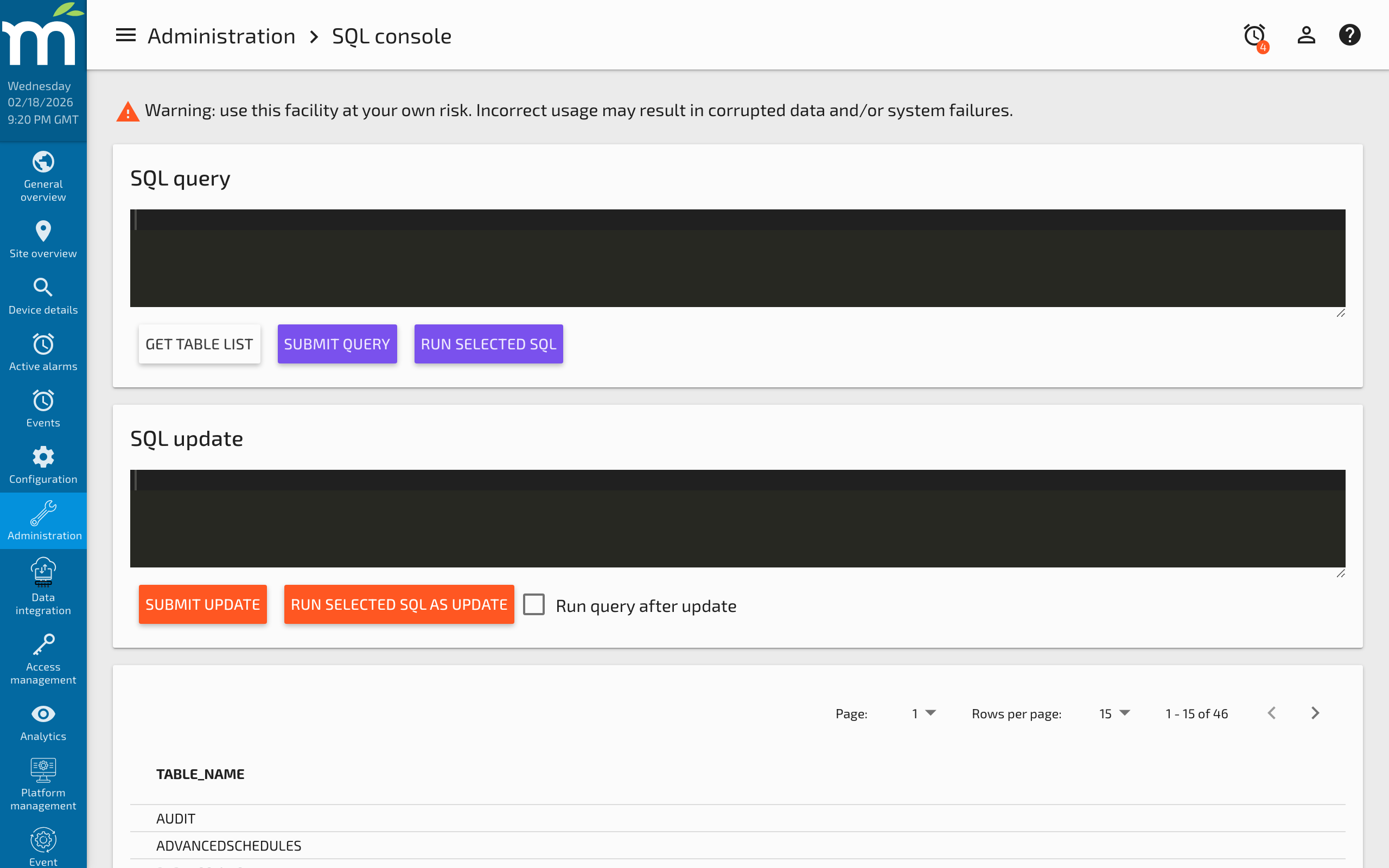
The Mango SQL Console provides the ability to directly access the system's relational database for both querying and updating. This facility is provided primarily for troubleshooting or system repair. It is not appropriate for regular use due to the risk of data corruption.
Incorrect SQL statements can permanently corrupt your Mango database. Always create a backup before running UPDATE or DELETE statements. If you are unsure about a query, test it with a SELECT first.
Accessing the SQL Console
Navigate to Administration > SQL Console in the Mango UI. You must have administrator privileges to access this page.
Only valid individual SQL statements may be submitted. Do not end your statements with ; characters.
To get a list of tables created by your Mango instance, click the Get table list button.
Useful SQL Queries
Counting Records
Total number of data points:
SELECT COUNT(*) FROM dataPoints
Total number of events:
SELECT COUNT(*) FROM events
Count events by alarm level:
SELECT alarmLevel, COUNT(*) as cnt FROM events GROUP BY alarmLevel ORDER BY alarmLevel
Event Alarm Level Reference
When examining the events table, the alarmLevel column uses numeric codes:
| Code | Level |
|---|---|
| -3 | IGNORE |
| -2 | DO_NOT_LOG |
| 0 | NONE |
| 1 | INFORMATION |
| 2 | IMPORTANT |
| 3 | WARNING |
| 4 | URGENT |
| 5 | CRITICAL |
| 6 | LIFE_SAFETY |
Examining Data Sources and Points
List all data sources with their types:
SELECT id, xid, name, dataSourceType FROM dataSources
List data points for a specific data source:
SELECT id, xid, name FROM dataPoints WHERE dataSourceId = 1
Find data points by name pattern:
SELECT id, xid, name FROM dataPoints WHERE name LIKE '%temperature%'
Database Maintenance
Check database size (H2):
The database size is displayed on the Server Info page, but you can also query table sizes directly.
Purge old events manually:
DELETE FROM events WHERE activeTs < 1609459200000
The timestamp is in milliseconds since epoch (Unix time * 1000). Use an online converter to calculate the desired cutoff date.
Quickly Purge a Large Table
During database conversion or when you need to clear a very large MySQL table such as pointValues, these steps allow you to do it quickly and efficiently:
- Rename the
pointValuestable topointValues_old. - Create an empty table with the same structure:
CREATE TABLE pointValues SELECT * FROM pointValues_old LIMIT 0
- Drop the
pointValues_oldtable.
This will permanently delete all point value data stored in the SQL database. This does not affect data in the NoSQL time-series database.
Safety Guidelines
- Always back up first -- Before running any modifying query, ensure you have a recent backup.
- Use SELECT before DELETE -- Verify what rows will be affected before deleting them.
- Avoid modifying internal tables -- Tables like
systemSettings,users, androleshave complex relationships. Use the Mango UI or REST API to modify these. - Do not modify the schema -- Adding, removing, or altering columns can prevent Mango from starting.
- NoSQL data is separate -- The SQL Console only accesses the relational database. Point value history stored in the NoSQL module is not accessible here.
Related Pages
- About the H2 Database — Understand the default H2 database, including CSV export and the H2 web console
- How to Backup Your Mango System — Always back up before running modifying SQL queries
- Managing Disk Space — Use SQL queries to investigate events table growth and database size
- Server Information — View database size and point counts from the UI
- Audit Trail — Track configuration changes that may affect data visible in the SQL console