Work Items
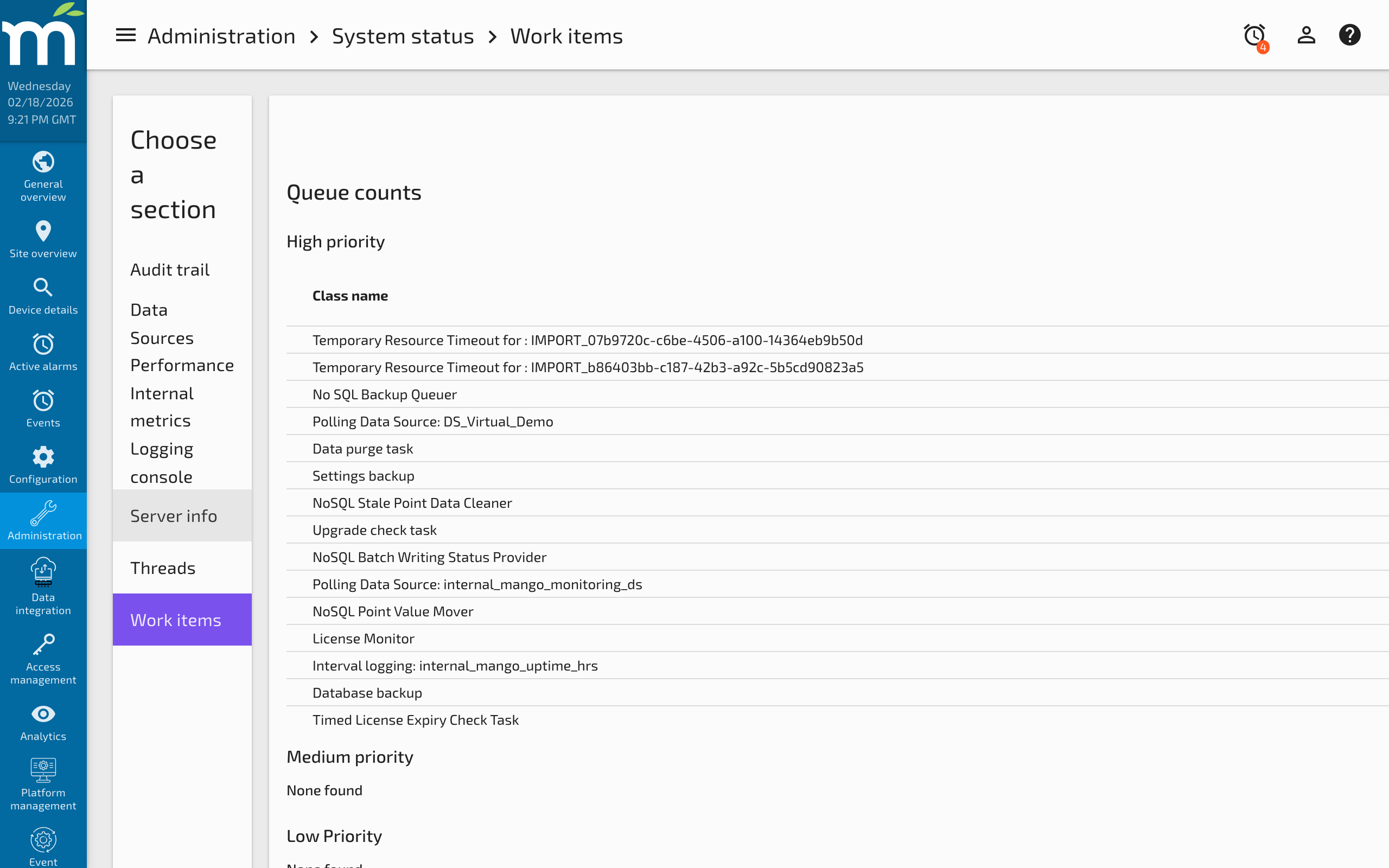
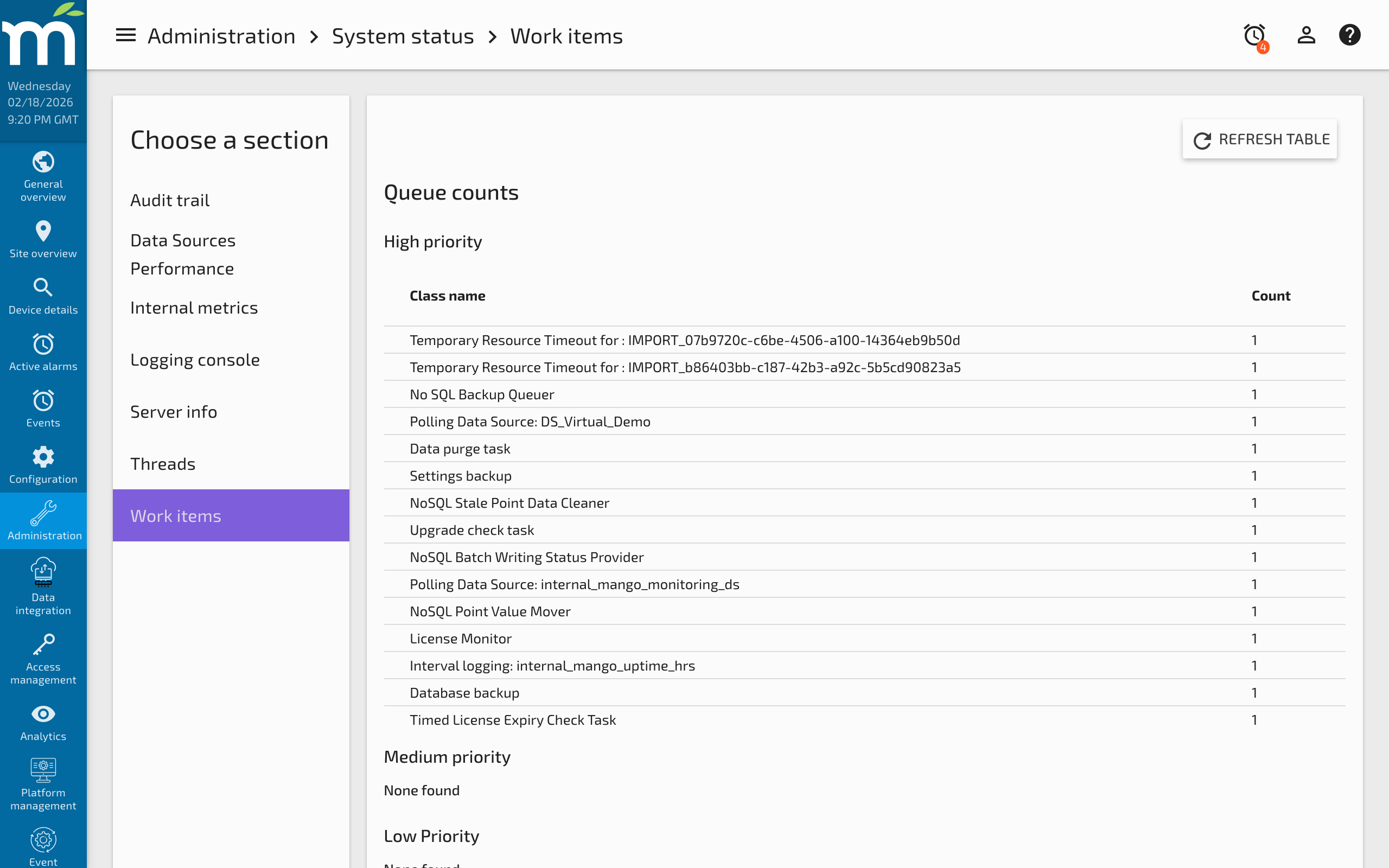
The Work Items page (Administration > System Status > Work Items) provides detailed insight into the current status of running tasks and their rejections. This page is essential for diagnosing performance problems related to task scheduling, thread pool exhaustion, and queue overflows.
Mango runs every task at one of three priority levels: High, Medium, or Low. Some tasks have configurable priorities; others are fixed. The Work Items view allows you to monitor rejections and understand why certain tasks may not be executing as expected.
Task Queues and Ordering
Task queues for the High and Medium pools ensure that a given task type runs in the order it was scheduled. Ordering is based on a unique identifier (such as a data source XID or data point ID). Limited queues have a hard limit defined in code or derived from the mango.properties property:
runtime.realTimeTimer.defaultTaskQueueSize=<value>
Only the High and Medium pools can run ordered tasks, but they also accept unordered tasks. Unordered tasks are not guaranteed to run before other tasks of the same type.
Understanding Runtime Performance
Running Stats
This section shows tasks that are currently executing. Since most tasks execute quickly, a healthy system typically shows very few entries here. When tasks start backing up and taking longer to run, this view reveals which specific tasks are long-running and potentially degrading performance.
Rejected Stats
A task is rejected for one of two reasons:
- Queue Full -- The ordered queue for a specific task type is full. The system cannot process tasks fast enough, and new tasks are being dropped. This usually indicates that polling timeouts are set incorrectly or the task is scheduled too frequently.
- Pool Full -- The thread pool for that priority level has no free threads. New tasks cannot be scheduled until existing tasks complete.
High Priority Tasks
High-priority tasks run at the operating system's highest thread priority and are ordered by task type. When an ordered task's queue is full, the new task is rejected with a Queue Full rejection.
The high-priority thread pool size is configurable in System Settings with two parameters:
- Core pool size -- The number of threads that always exist, ready to process tasks.
- Maximum pool size -- The upper limit to prevent resource exhaustion. When the pool is full, tasks are rejected with a Pool Full rejection.
| Task | Queue Size | Ordered On | Description |
|---|---|---|---|
| Point Value Batch Write | 0 | Only 1 | Writes point values to the database asynchronously |
| Process Event Handler | default | Instance | Executes system process event handlers |
| Set Point Value | Unlimited | Point ID | Sets a point value asynchronously |
| Http Image Data Source | 10 | Data Point XID | Retrieves images asynchronously |
| BACnet iAm Request | N/A | Unordered | Sends iAm messages to BACnet devices |
| BACnet Object List Request | N/A | Unordered | Requests object lists from BACnet devices |
| BACnet Point Creator | N/A | Unordered | Creates data points from device discovery |
| BACnet COV Maintenance | N/A | Unordered | Manages COV subscriptions |
| Interval Logging | default | Data Point XID | Logs point values at configured intervals |
| Polling Data Sources | default | Data Source XID | Polls each data source on schedule |
| User Event Cache Cleaner | default | Only 1 | Purges cached user events for inactive sessions |
| Timeout Event Detectors | default | Event Detector XID | Event detectors that use timeout logic |
| Email Event Handler Escalation | default | Handler XID | Sends escalation emails triggered by events |
| Nightly Purge | 0 | Only 1 | Purges old data on a nightly schedule |
| Upgrade Check | 0 | Only 1 | Checks for available upgrades every 24 hours |
| Work Item Monitor | 0 | Only 1 | Samples work item counts every 10 seconds |
| Schedule Configuration Backup | 0 | Only 1 | Triggers scheduled configuration backups |
| Schedule Database Backup | N/A | Unordered | Triggers scheduled database backups |
| Publisher Send Snapshot | default | Publisher XID | Sends publisher snapshot data |
| Publisher Send Realtime Data | default | Publisher XID | Sends realtime data from the publisher queue |
| License Check | N/A | Unordered | Validates the system license |
| JSON File Importer | N/A | Unordered | Imports JSON configuration files |
| Maintenance Events | 0 | Maintenance Event XID | Activates or deactivates maintenance events |
| Schedule NoSQL Backup | 0 | Only 1 | Triggers NoSQL database backups |
| NoSQL Data Map Cleaner | 0 | Only 1 | Manages memory for point value writing |
| NoSQL Data Mover | 0 | Only 1 | Collates point values for batch writing |
| NoSQL Status Provider | 0 | Only 1 | Reports write performance metrics |
| Data Source Initializer | N/A | Unordered | Initializes data sources during startup |
| Data Source Terminator | N/A | Unordered | Terminates data sources during shutdown |
| Upgrade Downloader | 0 | Only 1 | Downloads and installs upgrades |
Medium Priority Tasks
Medium-priority tasks run just below the highest thread priority. Unlike the high-priority pool, the medium-priority pool can queue tasks when no threads are free, meaning the queue can grow unbounded in an overburdened system.
| Task | Queue Size | Ordered On | Description |
|---|---|---|---|
| REST Temporary Resource Timeout | default | Resource ID | Cleans up expired temporary resources |
| Data Point Event | Unlimited | Data Point XID + Listener ID | Notifies about point state and value changes |
| Configuration Backup | 0 | Only 1 | Creates JSON configuration backup |
| Database Backup | default | Only 1 | Creates SQL database backup |
| System Setting Changed Notification | 100 | System Setting | Notifies listeners of setting changes |
| Audit Event | 0 | Unordered | Records configuration changes |
Low Priority Tasks
Low-priority tasks run at normal OS thread priority and are unordered. Tasks are processed as threads become available, with no guaranteed execution order.
| Task | Description |
|---|---|
| Alarm notifications | Notifies about alarm state changes |
| Send Email | Sends email notifications |
| NoSQL Backup | Backs up the NoSQL database |
| NoSQL Restore | Restores the NoSQL database |
Configurable Priority Tasks
Some tasks allow priority configuration via System Settings. When run in the Medium or High pools they are ordered; in the Low pool they run unordered.
| Task | Queue Size | Ordered On | Description |
|---|---|---|---|
| Excel Report | 10 | Report XID | Runs an Excel Report |
| Report | 5 | Report XID | Runs a report from the Reports module |
Related Pages
- Internal Metrics — Monitor write throughput, thread counts, and memory usage alongside work item stats
- Threads — View individual thread states and stack traces for deeper diagnosis
- NoSQL Database Performance Tuning — Tune batch write-behind tasks that appear as high-priority work items
- Mango Properties Reference — Configure thread pool sizes and task queue limits
- Managing Disk Space — Nightly purge and backup work items that affect disk usage