Modbus Publisher
The Modbus publisher writes Mango data point values to registers and coils on external Modbus slave devices. While the Modbus data source reads data into Mango, the Modbus publisher sends data out -- allowing Mango to act as the central coordinator that pushes calculated values, setpoints, or aggregated data to PLCs, RTUs, HMI panels, and other Modbus-capable equipment.
This publisher supports both Modbus TCP/IP and Modbus Serial (RTU/ASCII) connections, and can write to holding registers, coils, and multiple register types in a single publish cycle.
Overview
The Modbus publisher monitors configured Mango data points and writes their values to specified Modbus register addresses on a target device whenever the point values change, update, or at scheduled snapshot intervals. Each published point maps to one or more Modbus registers, with automatic data type conversion between Mango's internal representation and the Modbus register format.
Key capabilities:
- Write on change or on schedule -- publish values immediately when they change, on every update, or at regular snapshot intervals.
- Multiple data types -- write 16-bit integers, 32-bit integers, 32-bit floats, 64-bit doubles, and boolean coil values.
- Multiple slave support -- write to different slave IDs within a single publisher (useful for gateway devices).
- Batch writes -- multiple registers to the same slave can be written in a single Modbus transaction using function code 16 (Write Multiple Registers).
Prerequisites
Before you begin, make sure you have:
- A Modbus TCP/IP or Serial device accessible from the Mango host.
- The device's register map documentation, specifying register addresses, data types, and byte order.
- Network connectivity (for TCP) or a serial connection (for RTU/ASCII) to the target device.
- Knowledge of the device's slave ID (unit ID).
- The target registers must be writable (holding registers or coils, not input registers).
Step-by-step guide
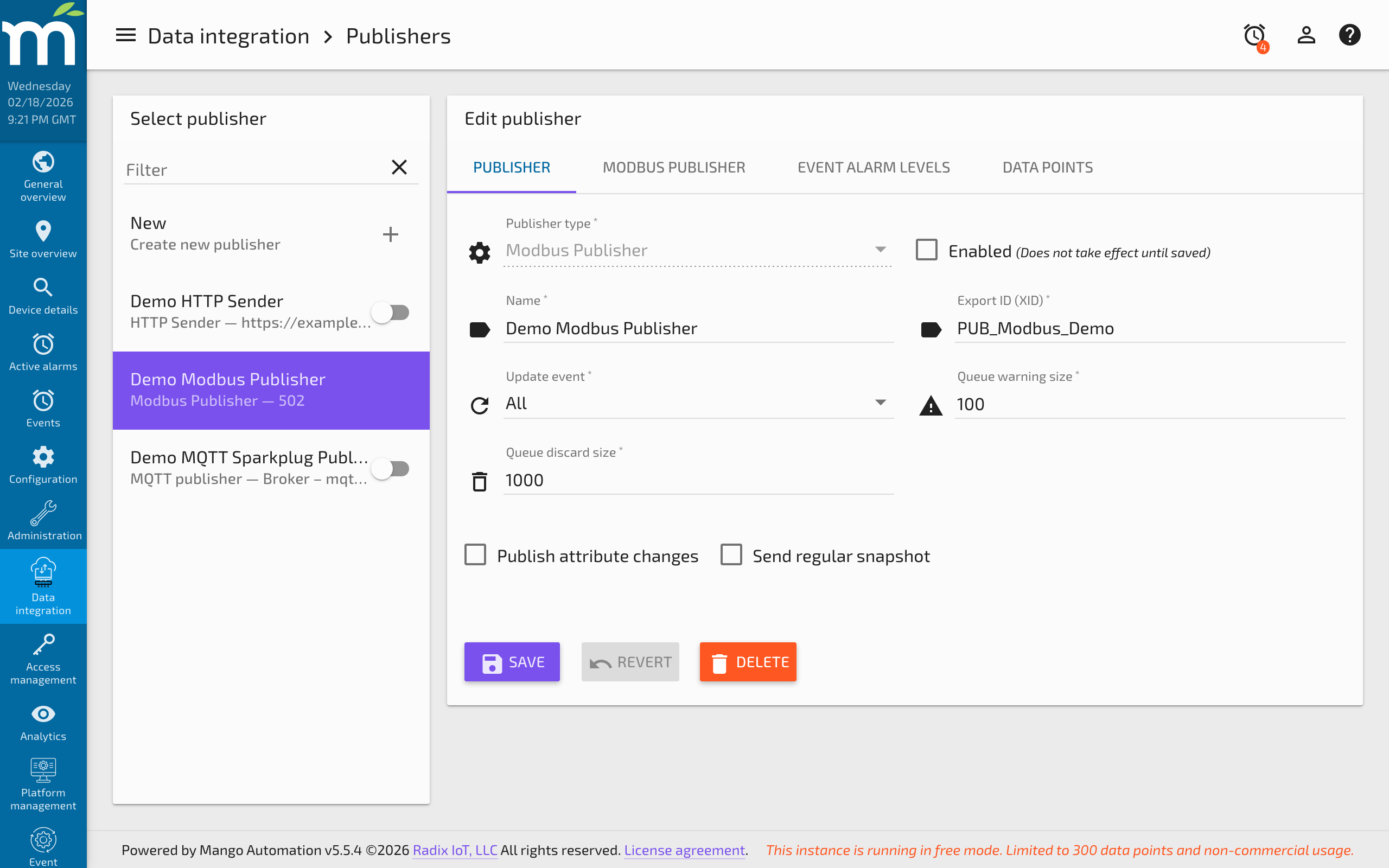
Step 1: Create the publisher
- Navigate to Administration > Publishers.
- Click New and select Modbus Publisher from the publisher type dropdown.
- Enter a descriptive Name (e.g., "PLC Setpoint Writer").
- Configure the common publisher settings (update event, cache sizes).
Step 2: Configure the connection
Switch to the Modbus configuration tab and select the transport type.
For Modbus TCP/IP:
| Setting | Description |
|---|---|
| Transport type | Select TCP/IP. |
| Host | IP address or hostname of the Modbus slave device. |
| Port | TCP port (default: 502). |
| Connection timeout | Maximum milliseconds to wait for a TCP connection (default: 3000). |
For Modbus Serial (RTU/ASCII):
| Setting | Description |
|---|---|
| Transport type | Select Serial (RTU) or Serial (ASCII). |
| Comm port | Serial port connected to the Modbus network (e.g., /dev/ttyUSB0, COM1). |
| Baud rate | Communication speed (common values: 9600, 19200, 38400, 115200). |
| Data bits | Number of data bits per frame (typically 8). |
| Stop bits | Number of stop bits (typically 1). |
| Parity | Parity checking (None, Even, or Odd). Must match the slave device. |
Step 3: Configure common publisher settings
| Setting | Description |
|---|---|
| Update event | When to publish values: All (every update), Changes only (only when value changes), Logged only (when logged), or None (snapshots only). |
| Cache warning size | Raises a warning alarm when the publish queue exceeds this number of entries. |
| Cache discard size | Discards the oldest entries when the queue reaches this size, preventing unbounded memory growth. |
| Send regular snapshots | When enabled, publishes all point values at a regular interval regardless of whether they have changed. |
| Snapshot period | The interval between snapshot publishes (e.g., every 5 minutes). |
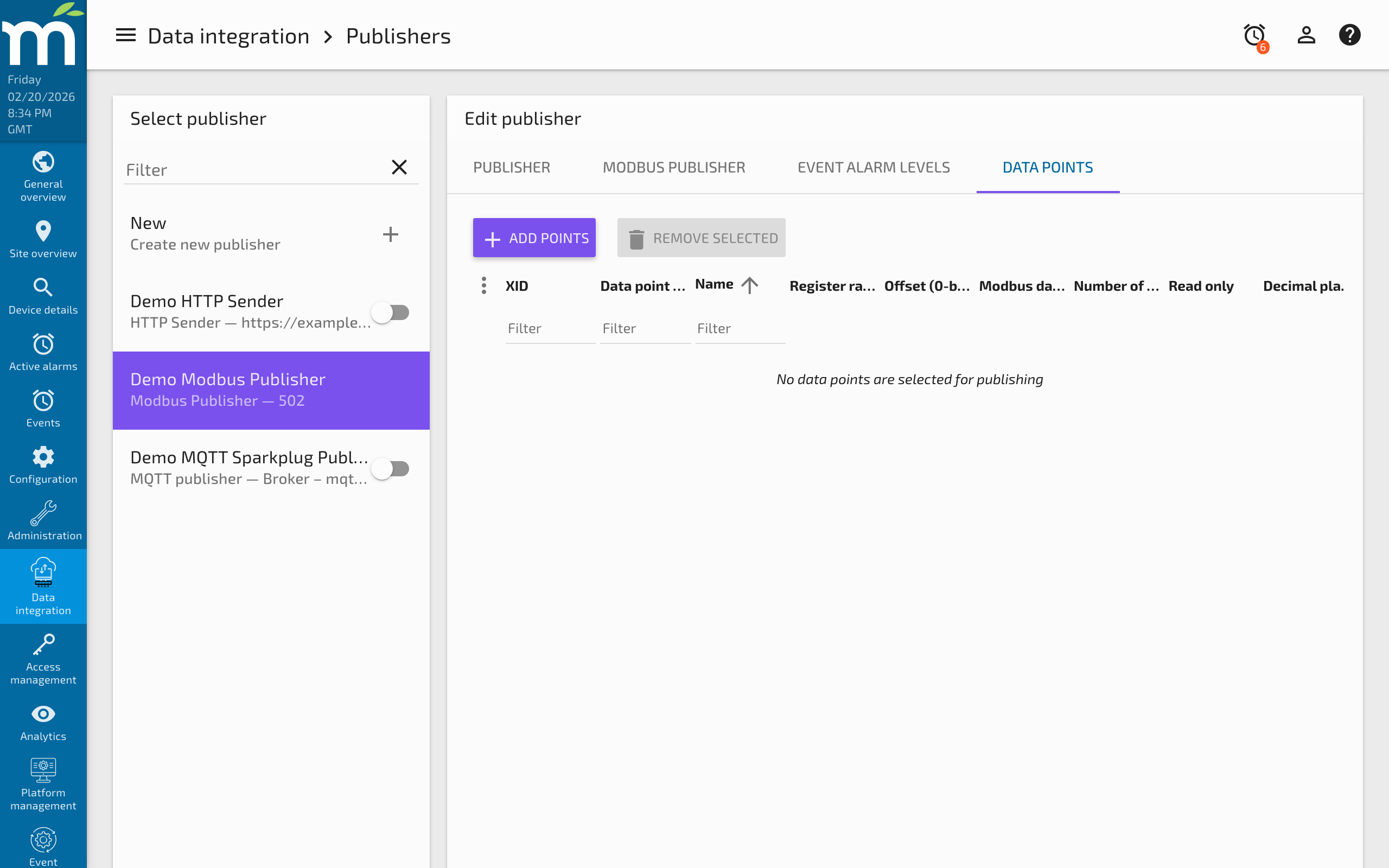
Step 4: Add published points
For each Mango data point you want to write to the Modbus device:
- Click Add point in the published points section.
- Select the Mango data point to publish.
- Configure the Modbus register mapping:
| Setting | Type | Default | Description |
|---|---|---|---|
| Register type | Enum | — | The register type to write: Holding register (function code 6/16) or Coil (function code 5/15). |
| Register offset | Integer | 0 | The starting register address (0-based). Consult the device register map. Some devices use 1-based addressing — subtract 1 for the Mango configuration. |
| Modbus data type | Enum | — | How to encode the Mango value into Modbus registers (e.g., TWO_BYTE_INT_UNSIGNED, FOUR_BYTE_FLOAT, etc.). |
| Register count | Integer | 0 | Number of registers to write (for multi-register types). |
| Read only | Boolean | false | When true, prevents Mango from publishing updates for this point. |
| Decimal places | Integer | 0 | Number of decimal places for value rendering. |
Step 5: Enable and verify
- Click Save to save the publisher configuration.
- Toggle Enabled to start publishing.
- Monitor the publisher status for successful writes. The queue size should remain near zero during normal operation.
- Verify on the Modbus slave device (or via a Modbus data source reading the same registers) that values are being received correctly.
Configuration reference
Supported data types
| Data Type | Registers | Range / Precision | Description |
|---|---|---|---|
Two byte int (signed) | 1 | -32,768 to 32,767 | Standard 16-bit signed integer. |
Two byte int (unsigned) | 1 | 0 to 65,535 | Standard 16-bit unsigned integer. |
Four byte int (signed) | 2 | -2,147,483,648 to 2,147,483,647 | 32-bit signed integer across two registers. |
Four byte int (unsigned) | 2 | 0 to 4,294,967,295 | 32-bit unsigned integer across two registers. |
Four byte float | 2 | IEEE 754 single precision | 32-bit floating point across two registers. |
Eight byte float | 4 | IEEE 754 double precision | 64-bit floating point across four registers. |
Coil (boolean) | N/A | true/false | Single bit written via coil function codes. |
Register addressing
Modbus register addresses in Mango use 0-based offsets. Many device manuals use 1-based addressing or include a register type prefix (e.g., 40001 for the first holding register). To convert:
| Manual Address | Mango Offset | Register Type |
|---|---|---|
| 40001 | 0 | Holding register |
| 40100 | 99 | Holding register |
| 00001 | 0 | Coil |
| 00050 | 49 | Coil |
When the manual uses 1-based addressing without a prefix, subtract 1 from the documented address to get the Mango offset.
Write modes
The publisher automatically selects the appropriate Modbus function code:
| Scenario | Function Code | Description |
|---|---|---|
| Single holding register | FC 06 (Write Single Register) | Writing one 16-bit register. |
| Multiple holding registers | FC 16 (Write Multiple Registers) | Writing 32-bit or 64-bit values that span multiple registers. |
| Single coil | FC 05 (Write Single Coil) | Writing a single boolean coil. |
| Multiple coils | FC 15 (Write Multiple Coils) | Writing multiple coils in a batch. |
Troubleshooting
| Symptom | Cause | Solution |
|---|---|---|
| "Connection refused" on TCP | Wrong IP/port, device offline, firewall | Verify the Modbus slave is reachable with telnet host 502. Check firewall rules. |
| "Timeout waiting for response" | Slave not responding, wrong slave ID | Verify the slave ID matches the device configuration. Check that the device supports the register type and address being written. |
| Values written but incorrect on device | Wrong data type or register count | Verify the modbus data type and register count match the device register map. |
| Float values corrupted | Wrong register count for multi-register types | 32-bit floats require 2 registers; 64-bit doubles require 4. Ensure register count is set correctly. |
| "Illegal data address" error (exception code 2) | Register offset out of range or register is read-only | Verify the register address against the device register map. Ensure you are writing to holding registers or coils, not input registers. |
| "Illegal function" error (exception code 1) | Device does not support the function code | Some devices only support FC 06 (single register), not FC 16 (multiple registers). Ensure the data type fits in a single register, or check device capabilities. |
| Queue growing indefinitely | Write failures faster than the publish rate | Check the connection to the Modbus device. If the device is intermittently unavailable, increase the cache warning size and investigate the root cause of connectivity issues. |
Related pages
- Publishers Overview -- Common publisher configuration and queue management
- Modbus Data Source -- Reading data from Modbus devices
- HTTP Sender Publisher -- Publishing data via HTTP
- gRPC Publisher -- Publishing data between Mango instances